How to Boot Linux from Grub Rescue
Stuck at the grub rescue screen? Follow this guide to successfully boot back into your Linux system.
Gaurav Bhardwaj
In this article, we will learn how to boot Linux from grub rescue screen. If you are looking to boot windows from grub rescue you can refer to this article.
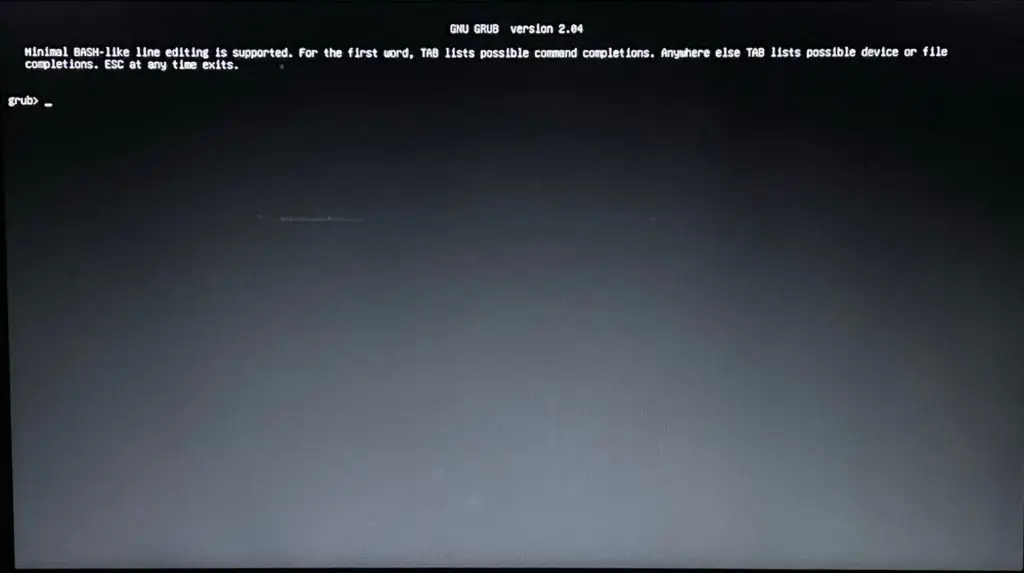
Steps for how to boot linux from grub rescue.
Step 1 - Listing Partitions from Grub Rescue:
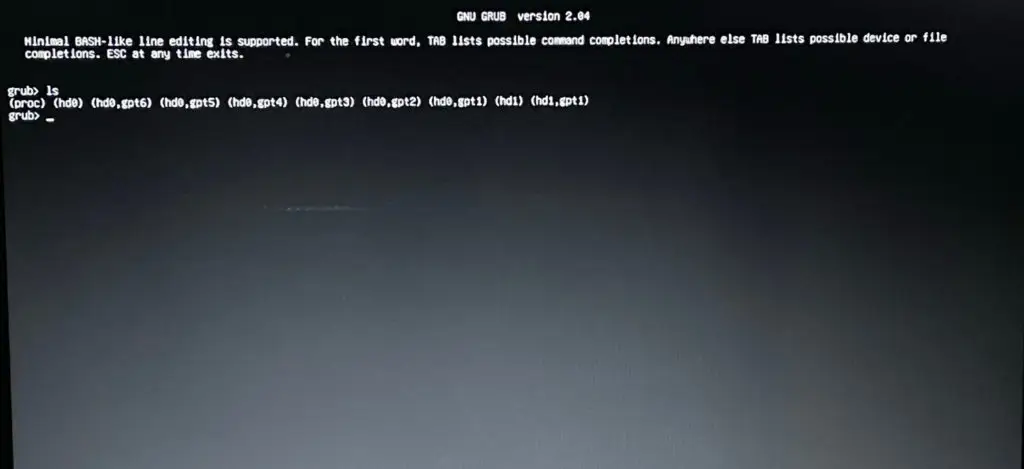
First, we need to find out our EFI partition or the partition where your boot files are stored. In order to find that we need to see all the available partitions, so simply execute the ls command.
ls
Step 2 - Listing EFI Partition
After getting our directory listing, we need to find the boot partition. Generally, the boot partition has a very small size (less than 1GB) and having an EFI/ partition in it. So, In order to locate that you can simply execute the ls (hdx,gpty)/ one by one.
Note: The x and y are for illustration, replace x with the hard disk number, and y with the partition number
ls (hdx,gpty)/
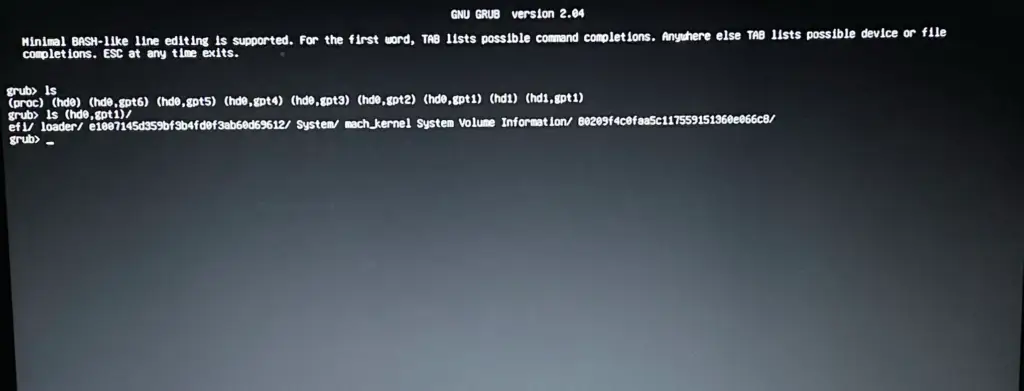
For me, the same is found in (hd0,gpt1)
Step 3 - Set the Root of Grub Rescue to the EFI Partition - Selection
Since we have located the partition, now we need to set the root of grub rescue to the boot partition. So simply execute the below command.
set root=(hdx,gpty)
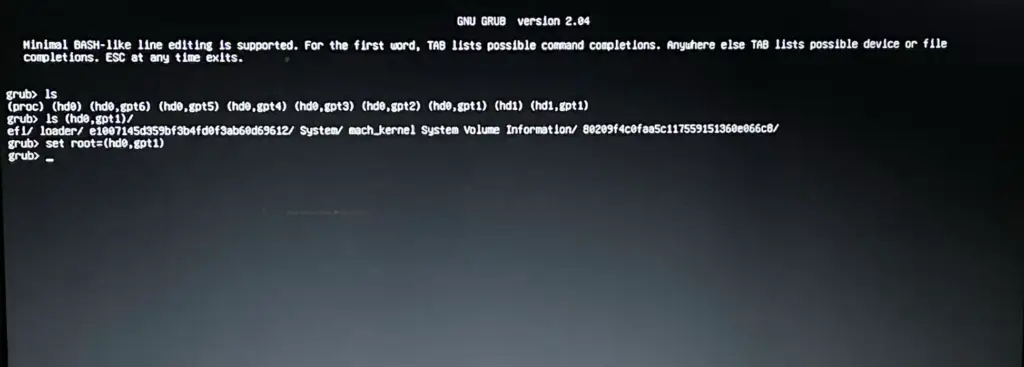
Step 4 - Chainloading the Installed Linux Grub EFI File.
Now, we have set the root of the grub rescue to the partition in which our boot files are present, now we need to execute the command chainloader for loading a boot file, and we will boot from that.
chainloader /efi/<Linux_Distro>/grubx64.efi
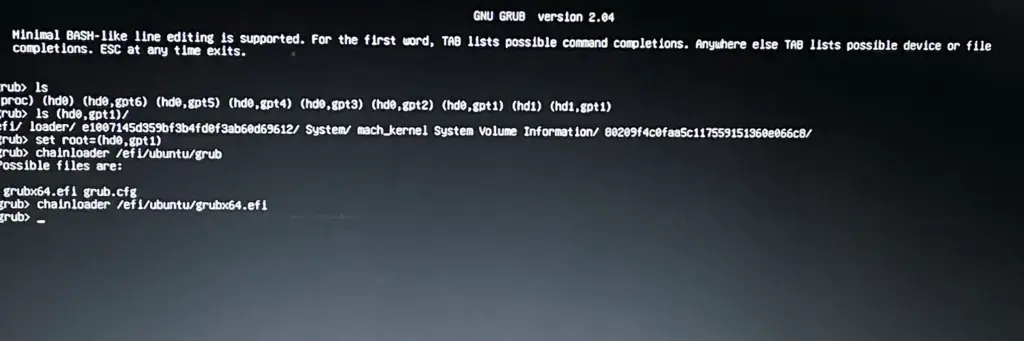
Step 5 - Boot Linux from Grub rescue:
Finally, Let's boot to Linux by just executing the below command:
boot
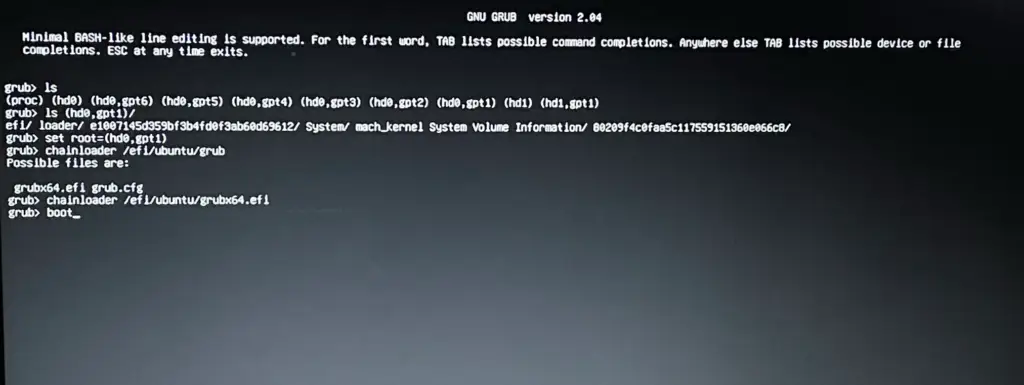
Conclusion - Boot Linux:
ls
ls (hdx,gpty)/
set root=(hdx,gpty)
chainloader /efi/<Linux_Distro>/grubx64.efi
boot
That's it for this article, If you have any queries or suggestion please write down in comment section below.
Gaurav Bhardwaj
Bridging the gap between cutting-edge AI and foundational technology. As an Engineer and AI Architect, I translate complex concepts across Generative AI, Agentic systems, and Full-stack Engineering into clear, actionable insights—all anchored by deep expertise in Linux, SEO, and systems design.